

Skip to content
View in the app

A better way to browse. Learn more.

Warspear Online official forum

A full-screen app on your home screen with push notifications, badges and more.

To install this app on iOS and iPadOS
  1. Tap the Share icon in Safari
  2. Scroll the menu and tap Add to Home Screen.
  3. Tap Add in the top-right corner.
To install this app on Android
  1. Tap the 3-dot menu (⋮) in the top-right corner of the browser.
  2. Tap Add to Home screen or Install app.
  3. Confirm by tapping Install.

[2013.01.10] Planned server maintenance, January 13th
Featured Replies

  • Author
  • Administrators

What are you gonna fix?  (except remove snow map)

Can you tell pls?

I think there is some weird thing about skills.


Snow Boundaries will stay a little more.

It is just a hardware upgrade, so everything will work better!

Is there an option to change the resolution of the game, the problem is I cannot see full screen and only 3 hotkeys at a time :unknw:

I use nokia c5-05 screen resolution 640(hight)x360(width) and a 2g connection symbial60 v5. what do you think is it good?


listen I know this is not what I say but I have a one year shit reporting my character.


that was blocked and it was not my fault it was the fault of the dog in the taxor-LV17 was the shaman who stole my account and my own account and stole more so I blocked it.


every time I reported what happened just saying I responded, you passed under rules and regulations and did not return anything.


so please I would like to give me my account mexiicano lv 18 Blade Dancer


email: magus_0002@hotmail.com :cray:

Good thing I retired from the game itself for a time, otherwise i coulded dies! I came runung wen heard about an new topic on news forum and when I see... is just mantainence -__- But is fineee, good to see servers getting better!

please fix servers to avoid lags/slow nets.  :(


i was like standing at the base with my arena partner then i saw my contenders still running but already executed some skills over me :!

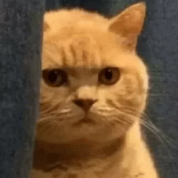
Why snorlaxx change photo profile  :bad: ? cuz me  :bad: ?

PLZZZ,, Dnt change ur Profile Pic,,

Ur previous Profile Pic was like

"" M a very sery serious cat, Nd i neva Laugh, When I say LOL my Xpressions Are like  :aggressive: "

or " Did i supposed to laugh on a joke of Urs,,, Huh,, :diablo:


Now this Pic is Like "O.o",, Sum1 flashed in ma eyes,,, I cant see that punch Coming....

my aplication always closing if cross at frogl map in norlant map, i hope dev's can fix this little problem.

Yes dear snorlax,change your profile picture , it isnt very nice Now. :'( and please , Tell us if You are planning something for valentines day.Thank you !!!

Valentine?? Seriously?  :blush: ;D  Pink flowery costumes maybe..? Would love to see that  :blush:


More like Pink Weapon skins, duck YES, Now my Rogue would look so pro even his weapons would be pink.

in near future maybe you can think about making it possible to have clan names above actual name.... and maybe arena 1 vs 1 tired of going to pvp cave and noobs ruining good fights. thx!  8)

why only 3 hours , should be 1 week

jk


Maybe forever xd

is there a way to maximize warspear window on pc users? i want to play this game full screen on pc. window os.


me too.. i want full screnn on windows user..

:)

is there a way to maximize warspear window on pc users? i want to play this game full screen on pc. window os.


:


yes pls made something like that :) because its so funy ; playing with androit better that OS :) or somehow i ll use on my pc androit also  :diablo: :diablo: :diablo: :diablo:

More like Pink Weapon skins, **** YES, Now my Rogue would look so pro even his weapons would be pink.


:rofl:

That would be a good idea  ;D

Seein u walkin wid pink sword skin is cute i think  :blush: *not to mention the flower details on it*

Guest
This topic is now closed to further replies.

Account

Navigation

Search

Search

Configure browser push notifications

Chrome (Android)
  1. Tap the lock icon next to the address bar.
  2. Tap Permissions → Notifications.
  3. Adjust your preference.
Chrome (Desktop)
  1. Click the padlock icon in the address bar.
  2. Select Site settings.
  3. Find Notifications and adjust your preference.