
Zeusthegod
-
Posts
333 -
Joined
-
Last visited




Zeusthegod's Achievements


.png.e04eeadaeeca999ebba0711a015e8989.png "Halloween 2023")
-
 Zeusthegod reacted to a post in a topic:
[2024.07.05] Concurso: Enfeite esse anúncio! 2024
Zeusthegod reacted to a post in a topic:
[2024.07.05] Concurso: Enfeite esse anúncio! 2024
-
[2024.07.05] Contest: Pimp That Ad! 2024
Zeusthegod replied to Shimarin's topic in Contest: Pimp That Ad! 2024
Thanks. I forgot to ask, If It can be narrated. And If yes. Could It be done by myself or a robot narration? Or better chance with only texto and imagens? -
[2024.07.05] Contest: Pimp That Ad! 2024
Zeusthegod replied to Shimarin's topic in Contest: Pimp That Ad! 2024
Could It be uploaded to YouTube or MediaFire? -
 Zeusthegod reacted to a post in a topic:
Parung - EU EMERALD (my brother was very curious when I played warspear online)
Zeusthegod reacted to a post in a topic:
Parung - EU EMERALD (my brother was very curious when I played warspear online)
-
[2024.06.19] Contest: 16 Years of Adventure. Results
Zeusthegod replied to Robin's topic in Contest: 16 Years of Adventure
Not yet -
[2024.06.19] Конкурс “16 лет приключений”. Результаты!
Zeusthegod replied to Shimarin's topic in Конкурс “16 лет приключений”
Это занимает некоторое время. Это может быть сегодня, завтра или даже суббота. Я думаю -
Parabéns à todos participantes e principalmente aos vencedores. Obrigado pelo 2° lugar
-
 Zeusthegod reacted to a post in a topic:
Hiimuru Servidor BR - Cartão Postal
Zeusthegod reacted to a post in a topic:
Hiimuru Servidor BR - Cartão Postal
-
Zeusthegod reacted to a post in a topic:
Ricardoxxx - Eu Emerlard (Greeting Card)
-
Zeusthegod reacted to a post in a topic:
Zheret | EU-EMERALD | Cartão Postal
-
Megirus reacted to a post in a topic:
Zeusthedog - BR Turmalina - Poema
-
Zeusthegod reacted to a post in a topic:
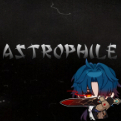
Greetings for Warspear Online, Astrophile, Eu-Emerald, Video
-
Warspear Online me levou à um misterioso lugar, Arinar. Criaturas, tesouros e masmorras à explorar, Ruínas, desertos, pântanos e até fundo do mar, Serpentes, gatos guerreiros, mortos-vivos e sombras de Berengar, Pronto para batalhar? Sozinho ou com amigos para ajudar, Em eventos com guilda, na arena ou vá à guerra lutar, A união faz a força, e juntos, o banner vamos alçar Rugidos de guerra, na taverna a vitória a celebrar Onde você chamar de lar, Novos guerreiros vão se aliar. Levantando das sombras, os Proscritos vêm, Ilhados nas montanhas, o Clan se mantém, Nós sabemos o poder que os Elfos têm, Escolhidos de Langasard lutam pelo bem. Parabéns Warspear Online por mais um ano de sucesso.
-
Did i get disqualified?
-
Horimiya reacted to a post in a topic:
Unboxing presente do Warspear Online
-
Link: https://youtu.be/tPlkMECYu14
-
Wiuzin reacted to a post in a topic:
Primeiros Passos No Mundo De Arinar
-
 Zeusthegod reacted to a post in a topic:
[2024.05.08] Spring Dungeon Speedrun Records!
Zeusthegod reacted to a post in a topic:
[2024.05.08] Spring Dungeon Speedrun Records!
-
[2024.05.08] Spring Dungeon Speedrun Records!
Zeusthegod replied to Shimarin's topic in News & Announcements
I thought i was a god doing It in 6:30 min -
[Baekboo e BR-Tourmaline] Guia de atributos para novatos
Zeusthegod replied to baekboo's topic in Guias para Iniciantes
Objetivo e Bonito Top -
Top!!
-
The Basics of Warspear Online Warspear Online is a MMORPG, 2D, Pixel Art game. Playable on Android, IOS and Windows. Some tips for immersing yourself in the war of the spear. To start the adventure, choose a side: Sentinels or Legionnaires Choose a Race: Firstborn; Chosen; Mountain Clans; Forsaken; Each race has 5 classes (totaling 20 classes with unique skills)and also a native map with its own storyline. There are Damage, Defense and Support classes. Some classes are hibrid. Choose the class that best suits your playing style. Some Classes wear Cloth Armor, Light Armor,Heavy Armor or even 2 types of armor combined. Accessories : Capes, Amulets, Rings e Bracelets. Weapons: one-handed weapons, two-handed weapons, Shields, Bows, Crossbows and Staves Craft : You can Craft exclusive weapon / armor / accesorries Cristals & Runes: Cristals usually enhance your equipments / weapons with offensive status (penetration, crítical, accuracy, etc) Runes usually enhance your equipments / weapons with defensive status (physical defense, magical defense, dodge, parry, etc) Amplification: With amplification system, there is a possiblity to Power UP your gear up to +10 Each class starts with 5 basic skills, which can be: Increased damage; Area Damage; Self / Ally Buff; Heal; Debuff a chosen enemy or area; Immobilization; among many others. Each skill can be strengthened with relics Each skill can be improved with talents To earn XP you need to do missions: interacting with specific characters (NPCs) in the game. Clicking / Tapping on a NPC with "?" "!" makes you interact with it. Missions can be: collecting items, killing mobs, interacting with more NPCs or even everything in the same mission. Missions also give: Wisdom; Resources needed to develop your character's talent tree. Gold: Needed to buy items/equipment both in the game's market and from other players. Consumables: HP, mana or buff potions for the character. Online Gameplay: Is possible to form groups with other players to do missions together faster, defeating stronger bosses and obtaining valuable loot. PvP The game's natural PvP event takes place on map 2 (Irselnort) where, players from opposing alliances can meet and duel. Fighting in Arena or GvG Guilds and Alliances: From the first map, you can join a guild or even create your own. Being in a guild allows you to study passive skills that improve your character's status, and active skills to all guild members. In additional, members are able to participate in exclusive events for guilds and prizes that only appear there. It is also possible to form alliances with other races / factions within the game. For example, the Chainless League, in which, if you achieve high reputation, gives access to exclusive Items from League merchants. On other maps like Ayvondil, it is possible to gain reputation with many other races / tribes. In the Almahad desert you have access to benefits from a non-playable guild. But don't do all this without passing through the illusory Astral Labyrinth and the beautiful and dangerous swamps of Kotaravva. To do all this it is necessary to always keep your bag with only what is NECESSARY, what means, do not carry items that you are not going to use. Also use your personal storage and the guild storage. Selling unused items not only frees up space in your bag but also earns you extra gold.
-
[2023.09.11] Holiday event "Pirate’s Day"!
Zeusthegod replied to LeeLoo's topic in News & Announcements

-
Let's farm!!