mod for ever
-
Posts
72 -
Joined
-
Last visited
Never
Everything posted by mod for ever
-
hi :D
-
I MEAN I DONT WANT TO SOUND LIKE A DICK...... BUT DEVS WHEN WILL I GET INFO ON MY ACCOUNT I LIKE CHECK EVERY DAY IN MY EMAIL AND NOTHING. YOU SAY TO SEND A TICKET I SENT 4 ALREADY
-
IM not begging :shok: :shout: I just need to talk to talk to them
-
Devs how could we like talk instead of email its really important :give_rose:
-
I JUST WANT TO KNOW WHY I WAS BANNED I DIDNT SCAMM NOR AM I A SCAMMER *Z* IM LEGIT
-
:facepalm: :facepalm: :facepalm: I WOULD TAKE A PIC TO PROVE IT BUT ITS BLOCKED CANT GET BACK ON
-
WHY AM I BLOCKED??? well guys say good bye to modforever :facepalm: :facepalm: :facepalm:
-
:facepalm: :facepalm: :facepalm: IM BLOCKED????????
-
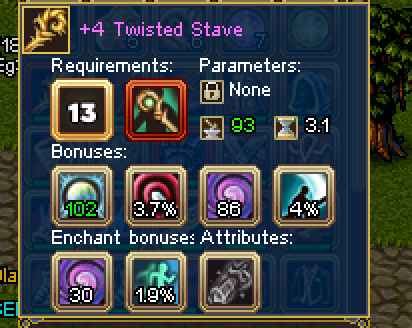
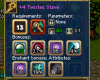
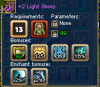
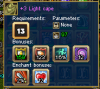
8) Selling lvl13 druid stuff I also got rings and amulet

-
:lol: :lol: :lol: :lol: :lol:


-
I FEEL SORRY FOR U :friends: :give_rose:
-
Actually it was my friends I was just trying to help sell :blush:
-
SEXY :'( :give_rose: :friends:


-
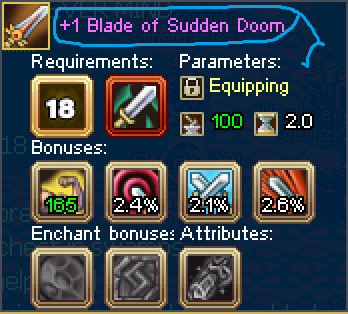
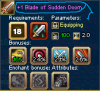
:drinks: Selling doom blade on elf side 1.5 mill pm me
-
THEY WENT TO THE MIDDEL THEN THEY GOT RAPED :give_rose: :give_rose: :give_rose: :give_rose:

-
:give_rose: LOL THANKS FOR THE tip
-
:facepalm: Champs I just want to update u on how well im doing :dirol:
-
:diablo: THERE IS MORE coming




-
LOL :give_rose:
-
LOL
-
:clapping:

-
............
-
LOL :blush: :blush:

-
LOOOOOOOOOOOOOOOOOOOOOL ;D ;D
-
:blush: :blush: :blush: :blush: :blush: :blush: :blush: :blush: :blush: :blush: